
WinFlow 🎙️
Native, privacy-first speech-to-text dictation, in-place AI text transformation, and meeting intelligence for Windows 10 & 11. Low-latency WASAPI loopback, hardware DPAPI encryption, and zero focus-stealing overlay.

Pure HUD Pulse Visual Identity
WinFlow's identity embodies Windows 11 Fluent Design: 7 symmetric vertical acoustic waveform bars resting in a translucent Mica squircle plate. Designed with a 1.5px specular rim reflection and soft Windows blue caustic bloom, delivering an elevated, distraction-free aesthetic.
Engineered for Flow & Privacy
A native utility that respects your attention, window focus, and sensitive data.
Push-to-Talk & Smart Lock
Hold CapsLock to record and release to paste instantly. Double-tap to lock recording for long speeches without stealing focus.
In-Place AI Text Transformation
Highlight text anywhere (VS Code, Word, Chrome, Slack), hold CapsLock and speak instructions like "translate to French" or "format as JSON".
Intelligent Meeting Notes
Dual-loop WASAPI audio engine simultaneously records microphone and system audio (Zoom, Teams, Meet) with diarized transcription.
Grounded Meeting Q&A
Interactive streaming chat strictly grounded in your meeting minutes and transcripts. Ask questions without leaving your note.
Instant Snippets & Vocabulary
Zero-latency offline snippet expansion ("my email" → email) and personalized dictionary for technical terms and acronyms.
Windows DPAPI & Zero Telemetry
Hardware-backed encryption for all API keys, automatic clipboard preservation, and 100% local JSON storage with zero analytics.
Showcase & Interface
Explore the voice-writing dashboard, dual-speaker meeting notes, and grounded AI assistant.
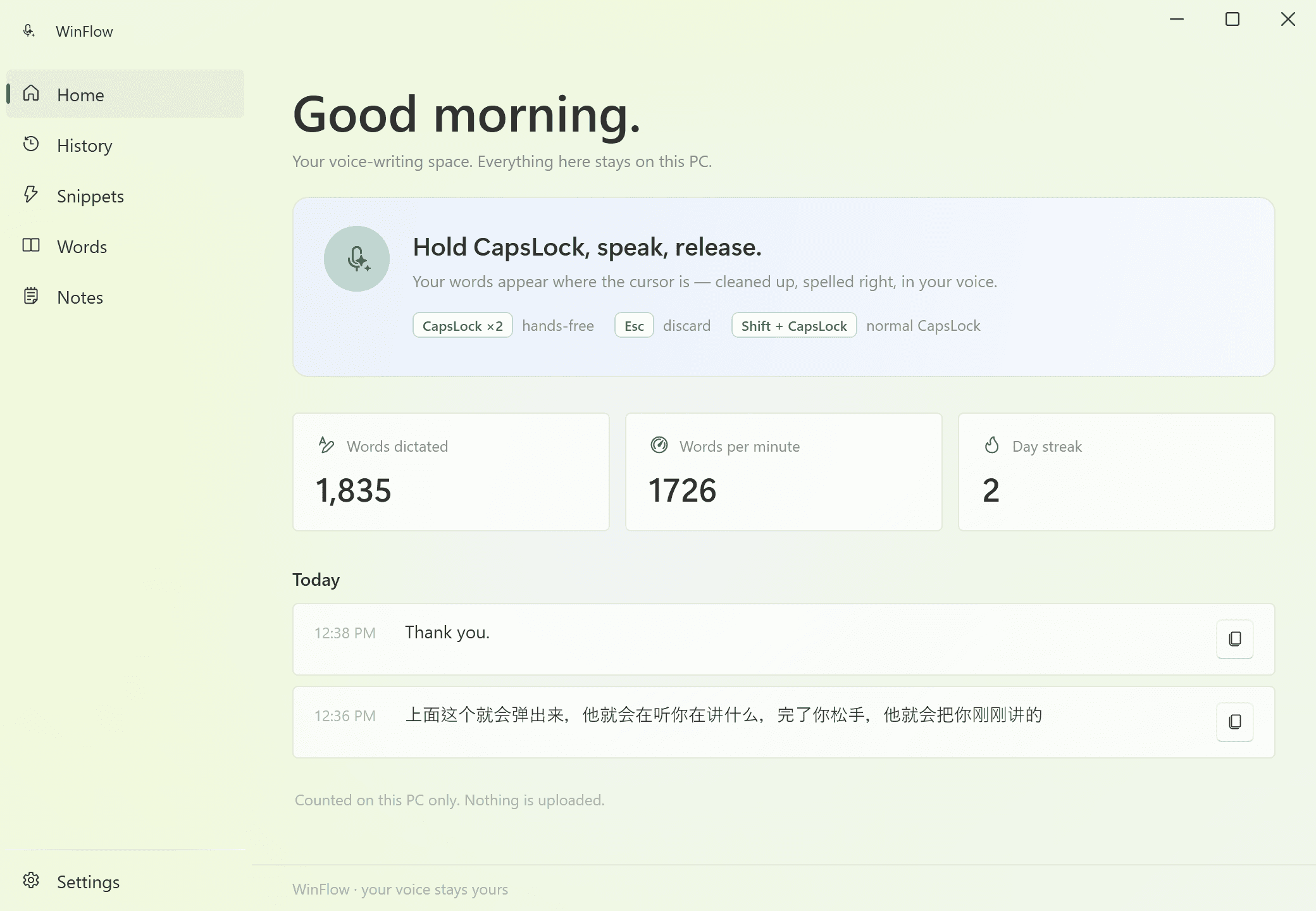
Personal Dashboard: Today's dictations, WPM speed metrics, streak tracker, and audio device control
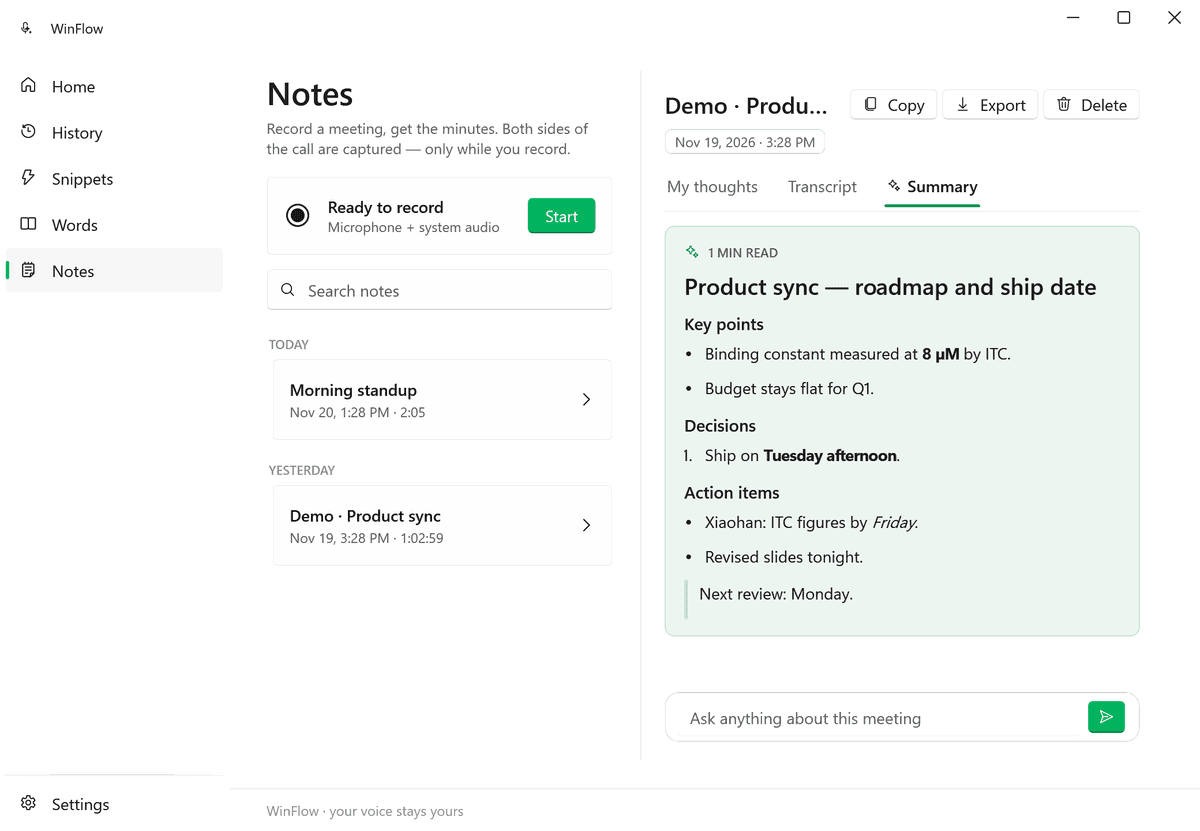
Structured Minutes
Themed Meeting Summary Minutes
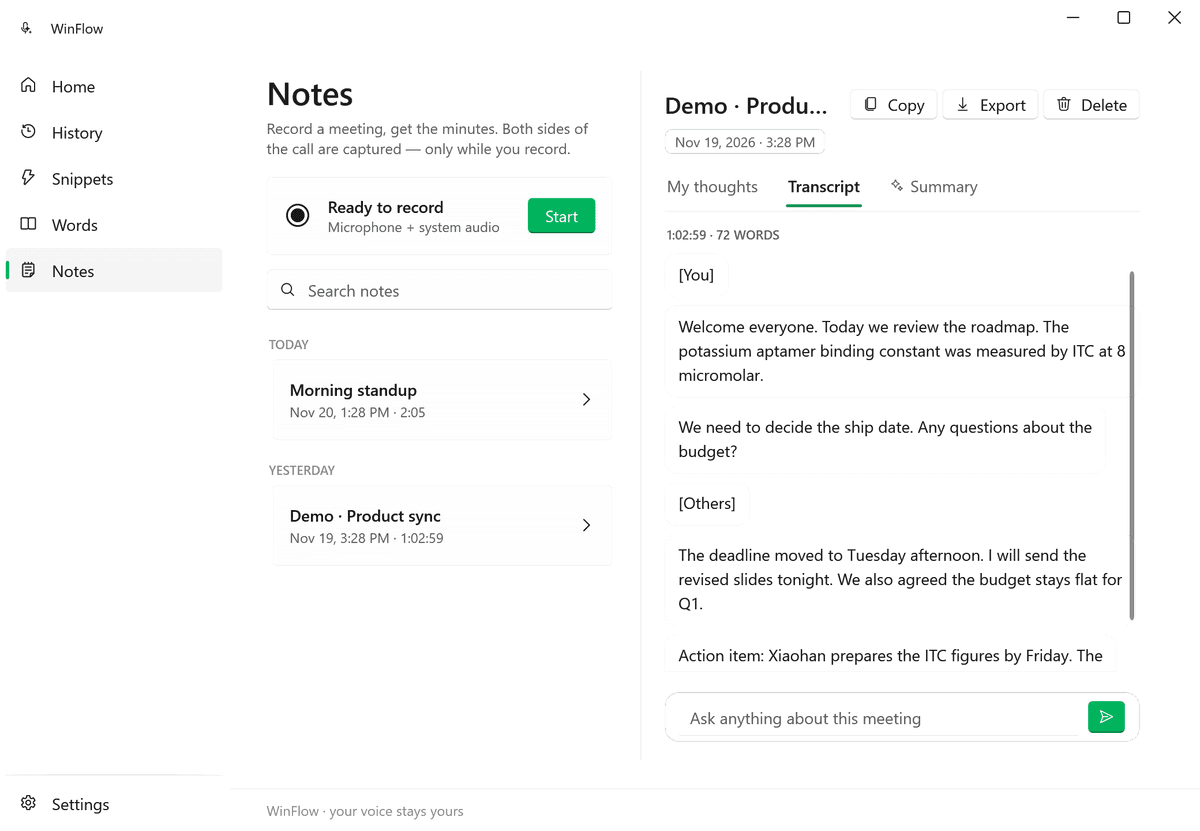
Diarized Transcript
Diarized Conversation Transcript
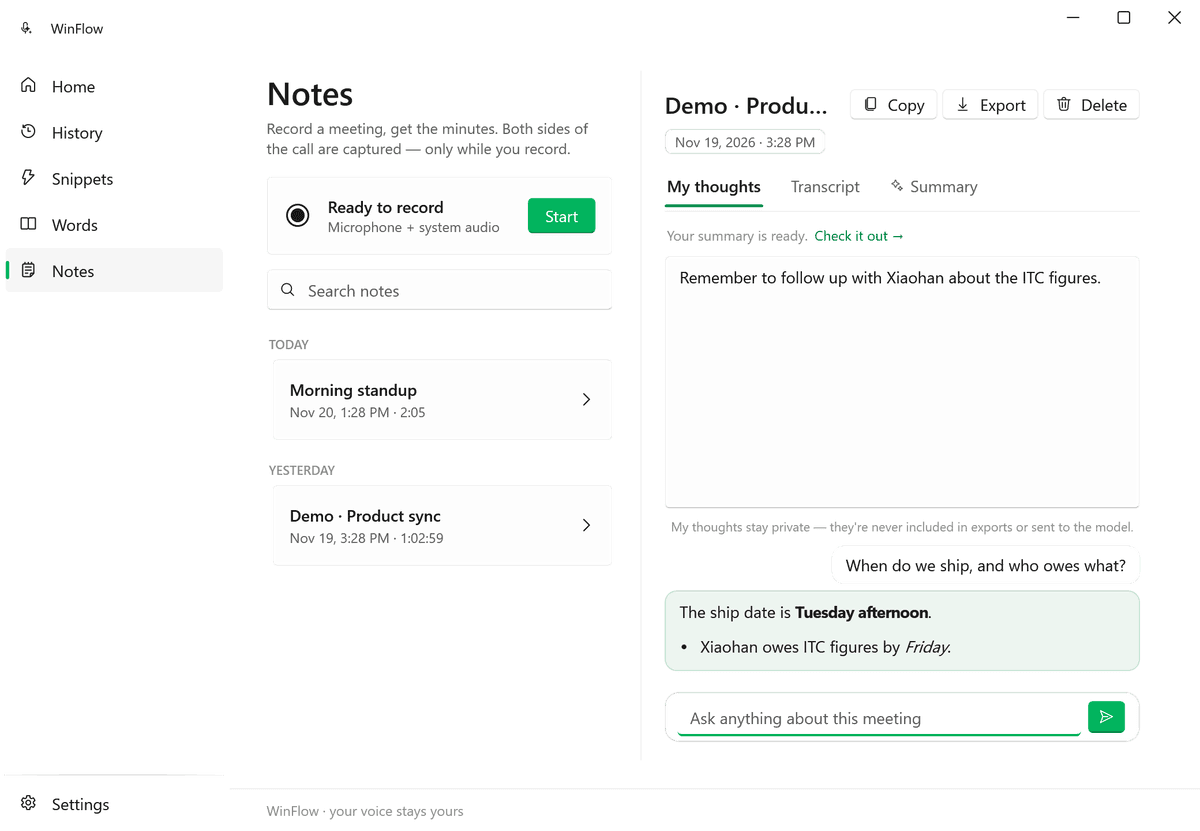
Ask AI Chat
Grounded Meeting Q&A Chat
Keyboard Shortcuts
| Shortcut | Interaction | Behavior |
|---|---|---|
| Hold CapsLock | Push-to-Talk | Records while held; transcribes and pastes upon release. |
| Double-tap CapsLock | Hands-Free Lock | Locks continuous recording without holding. |
| Tap CapsLock | Stop & Paste | Stops active locked recording session and pastes transcription. |
| Shift + CapsLock | Native Toggle | Standard Windows capitalization lock toggle. |
| Escape | Cancel | Aborts current recording without transcribing or altering clipboard. |
Architecture & Technology Stack
Platform
Windows 10 / 11 (x64)
Runtime
.NET 10 WPF
UI Styling
Fluent Design 2 (WPF-UI Mica)
Audio Engine
WASAPI via NAudio
Floating HUD
Win32 Layered Window
Encryption
Windows DPAPI
Markdown
Markdig + FlowDocument
Distribution
Inno Setup & Portable EXE
Contribute to WinFlow
WinFlow is built out in the open. Whether you want to add new LLM backends, improve WASAPI device compatibility, or enhance the UI, PRs and feedback are warmly welcome!